Eversense CGM
🚧 Documentation Under Construction 🚧
This page is under development.
The addition of the Eversense CGM to iOS Open-Source Automated Insulin Delivery systems is new.
Please review the EversenseKit Issues page for open issues reported for the EversenseKit CGM Manager.
Using Eversense with the Loop App
Eversense support was added to the dev branch in version 3.14.2.
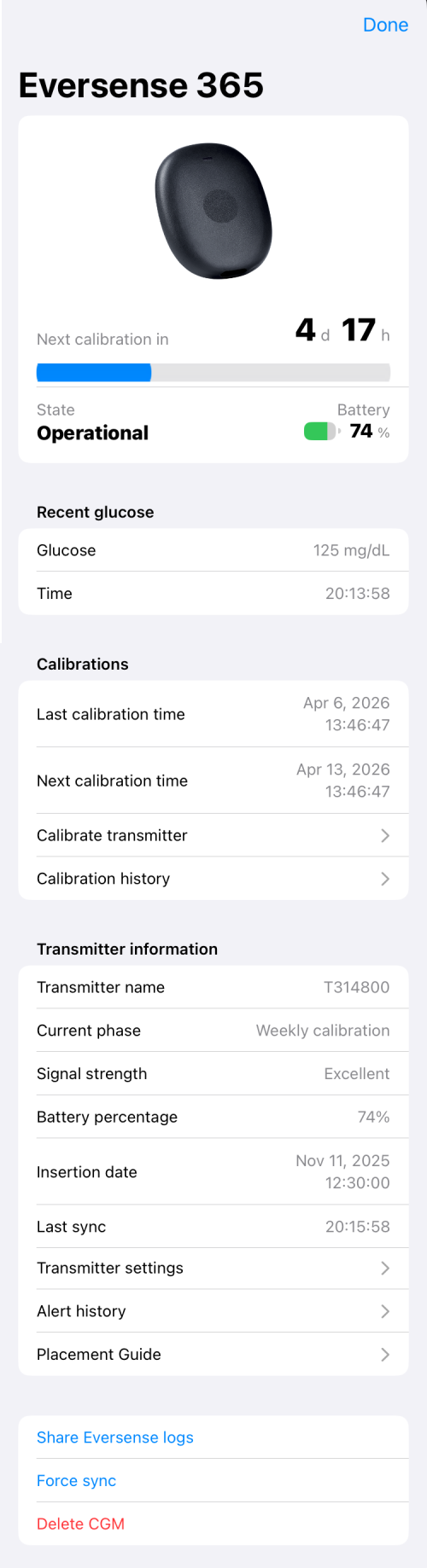
Eversense 365 Screen
The user interface for the 365 sensor is shown below.
Calibration and Battery Indicators
- Once stabilized, the Eversense Transmitter requires weekly calibrations
- The Eversense will stop reporting glucose readings if the required calibration is more than 24 hours late
- The Eversense Transmitter requires charging every 2 to 3 days
The calibration status and battery level is highlighted at the top of the Eversense screen.
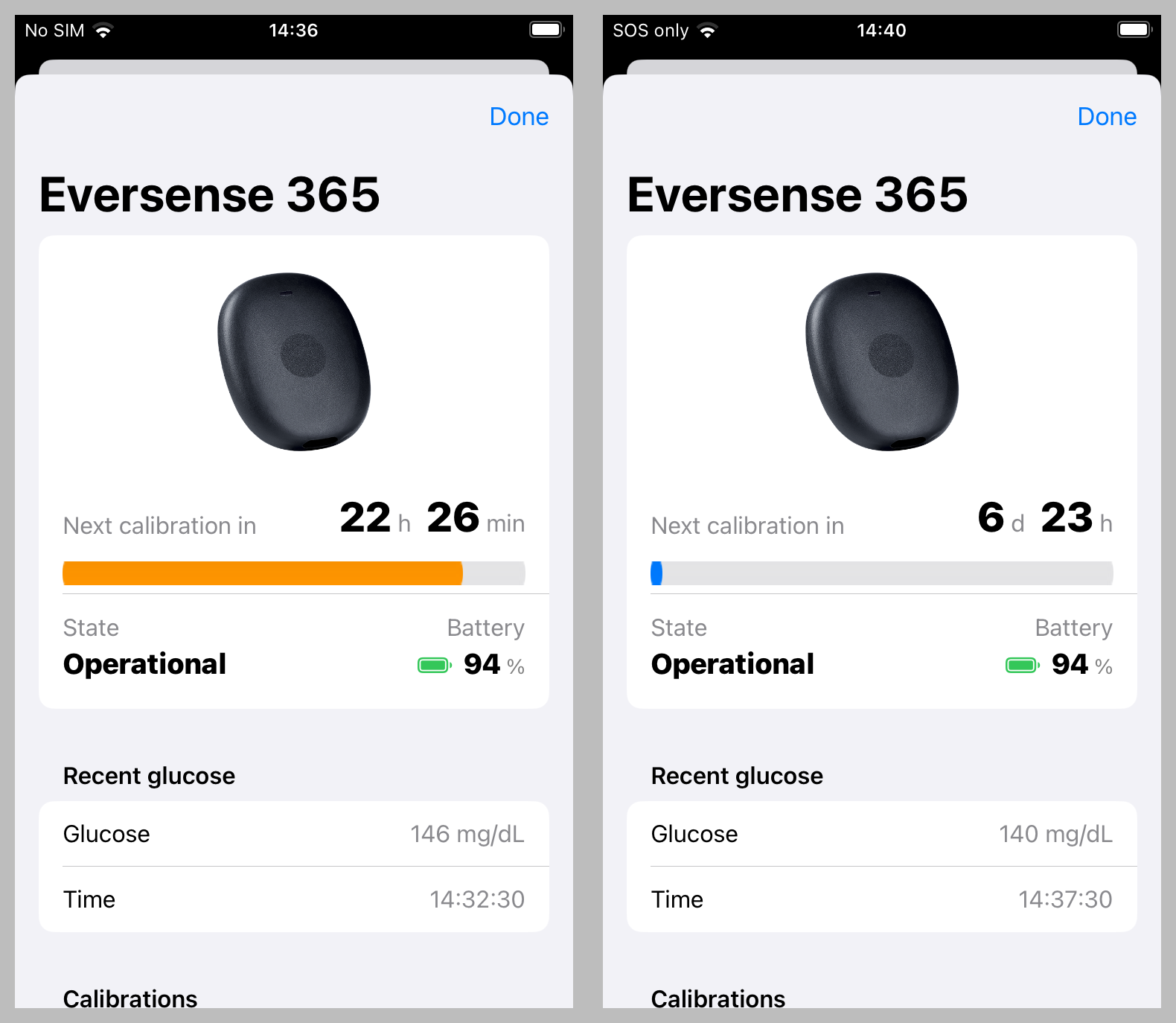
- The left screenshot shows an orange line indicating a calibration is due in less than 24 hours
- The right screenshot is after calibration
Upload Glucose and Share with NOW
Known Issue with Upload to Senseoics
There is an issue with Eversense DMS (upload to the Senseoics server). It is reported that DMS upload is missing data. It appears that the upload only works while the OS-AID is open. Look for updates to come as soon as this is resolved, but do not count of this feature for now.
If you want to upload your readings to the Eversense servers tap on the DMS Settings row in the Eversense screen
- Enable Upload
- Enter your Eversense Credentials
The default delay is 1 hour but can be selected with a delay of "None" as an option.
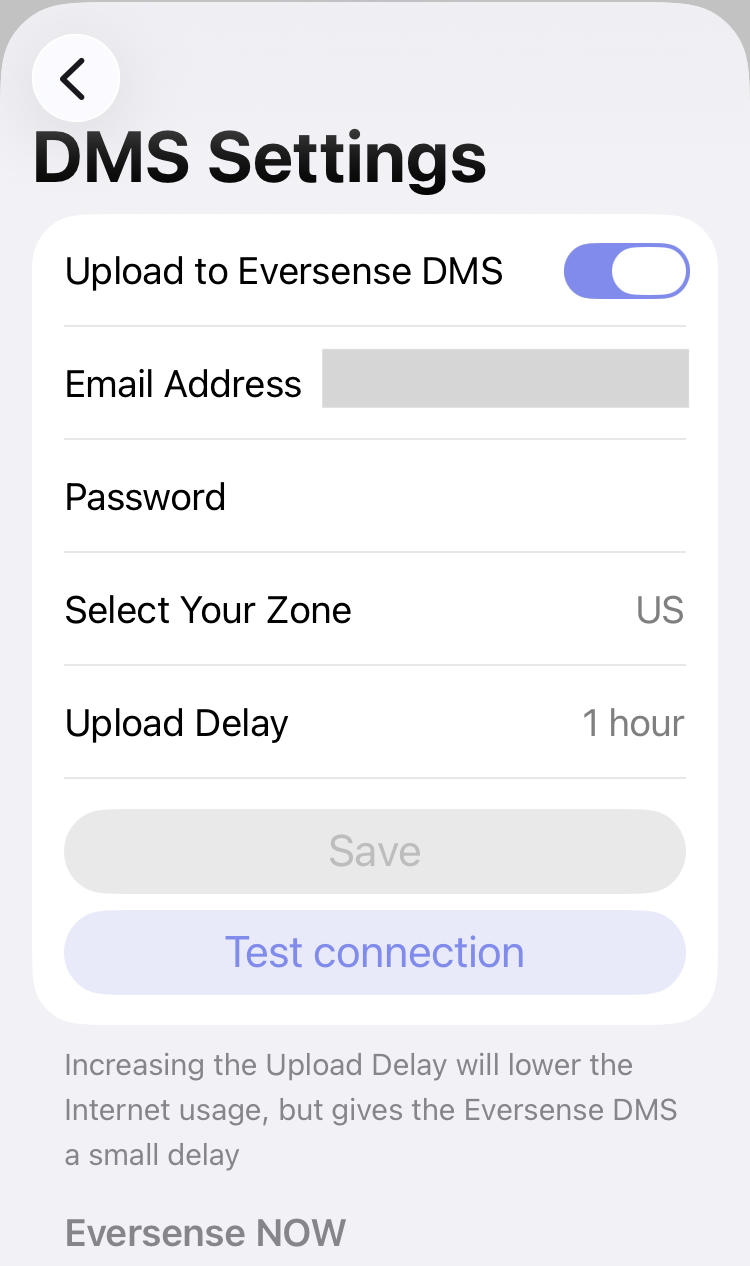
If you want to share your readings using Eversense NOW, scroll down on this same screen and tap the Invite follower row.
Loop Main Screen
When calibration required is within 24 hours, the orange line is echoed on the top of the Loop main screen under the CGM icon to serve as a reminder to calibrate soon.
Once the calibration is due, there is a 24-hour grace period before transmitter stops reporting glucose values. During that time, the "Next calibration in" line is red. This red line is also echoed on the top of the Loop main screen under the CGM icon.
As usual for calibrating a CGM, choose a time when glucose is stable to measure glucose with a finger-stick and enter the value into the user interface. The calibration takes 15 minutes to process.